# Placeholdr API: complete reference for coding assistants
> Add prompt-based placeholder photos and illustrations to a website with ordinary image URLs. Free for prototypes, demos, and development. No account, API key, SDK, or client JavaScript required. Pro subscribers get higher limits on the domains they list, with no code changes.
Base URL: https://placeholdr.dev
Website and quick start: https://placeholdr.dev/#format
OpenAPI schema: https://placeholdr.dev/openapi.json
## Website-building instructions
Choose a short, descriptive image prompt that fits each section's content and visual style. Use a small, fixed set of images. Put the URLs in constants or content data and reuse them across renders. Do not generate a random prompt, seed, or timestamp on each render. Do not append an image extension or invent unsupported parameters such as format or quality.
Use a native HTML or JSX img tag with explicit width and height to reserve layout space. Use responsive CSS to fit the layout, meaningful alt text for content images, and alt="" for purely decorative images. Add loading="lazy" to images below the first screen; keep the main hero eager. Use CSS backgrounds only for decoration.
The first GET for an unsaved image starts asynchronous generation and returns HTTP 202 with a temporary SVG. A plain img tag displays that SVG and does not refresh itself. Wait at least 5 seconds and reload the same URL to see the finished image. Embedding does not require a polling helper. Do not claim that images are ready just because a 202 response is an image or response.ok is true. Generate and check images before a presentation or public demo.
## URL format
GET https://placeholdr.dev/{width}x{height}/{prompt}?style={style}&seed={seed}
- width and height: required integers from 64 through 2048 pixels, inclusive. Any aspect ratio is accepted. Use at least 128 pixels per side for detailed scenes. Existing saved images smaller than 64 pixels remain available; new ones require at least 64.
- prompt: URL-encoded text. Use encodeURIComponent(prompt) in JavaScript. It defaults to "space" when omitted. The server normalizes Unicode to NFC, lowercases text, collapses whitespace, removes unsupported symbols, and truncates to 120 Unicode code points. Letters and numbers from all languages are accepted. The normalized prompt must contain a letter or number. Prefer concise descriptions under 120 characters.
- style: photographic (default), digital-art, anime. Older values (artistic, oil-painting, 3d-render, cartoon) still work for existing URLs; use these three for new images.
- seed: exactly 1, 2, or 3. Default: 1. These are three alternatives, not an arbitrary integer range.
Query parameters other than style and seed do not create a different image identity. Changing dimensions, the normalized prompt, style, or seed requests a separate image. Different sizes can have different compositions: resize one chosen URL with CSS instead of requesting many resolutions in srcset.
The response body is image bytes, not JSON, base64, or a redirect to another URL. New finished images are JPEGs; older saved images may be PNG or WebP. Use Content-Type to identify the actual format. There is no format selector and no file extension to append.
## Plain HTML
```html
 ```
## React and Next.js
```jsx
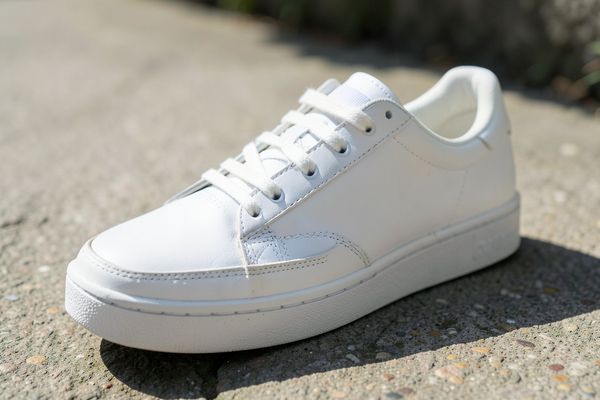
const imageUrl = "https://placeholdr.dev/600x400/white%20sneaker?seed=2";
export function ProductCard() {
return (
```
## React and Next.js
```jsx
const imageUrl = "https://placeholdr.dev/600x400/white%20sneaker?seed=2";
export function ProductCard() {
return (
 );
}
```
Use a native img in Next.js so the browser can display a pending SVG. An image optimizer may reject the 202 or SVG response. To use an optimizer, generate and verify a finished image first and configure the framework for the external host. A native img needs no image-optimizer configuration.
## Build a URL in JavaScript
```js
const prompt = "quiet Japanese garden";
const imageUrl = `https://placeholdr.dev/800x450/${encodeURIComponent(prompt)}?style=digital-art&seed=2`;
```
Store the result and use it as the img src. Do not fetch it as JSON. Describing a new subject creates a new image when requested; a URL-building function by itself does not generate an image.
## HTTP responses and verification
- 200: finished image. Cache-Control: public, max-age=31536000, immutable. Saved images are preserved across generator updates.
- 202: queued or running. Body is a temporary SVG, not the finished image. Cache-Control: no-store. Retry-After tells you how many seconds to wait before requesting the same URL again. The normal interval is 5 seconds; honor longer intervals.
- 304: If-None-Match matches a saved image's quoted ETag. Use the cached image; there is no response body.
- 400: invalid parameters or malformed URL encoding. Plain-text error. Correct the URL rather than retrying it unchanged.
- 404: HEAD for an image that has not been saved. HEAD never starts generation; use GET to request the image.
- 429: a new-generation allowance or shared queue capacity was reached. Body is an SVG. X-Placeholder-Limit is day or minute for an exhausted allowance, and absent for shared queue capacity. Daily allowances reset at midnight UTC. Honor Retry-After before retrying.
- 503: generation paused, failed-job cooldown, or temporary storage/admission outage. Body is an SVG. Honor Retry-After; https://placeholdr.dev/healthz reports service status.
For an explicitly requested verification workflow, GET the image URL once to start generation. Then wait at least 5 seconds (or longer Retry-After) between checks of that same URL. HEAD can check readiness without creating a job: 200 means saved, 404 means not saved. Stop waiting after a bounded period, such as 5 minutes, and report that the image is still pending. On 429/503, report the limit/outage and respect Retry-After; do not keep changing prompts or seeds to retry. Download only a 200 response as a finished image, not the temporary SVG from 202.
Cross-origin GET, HEAD, and OPTIONS are supported. Access-Control-Allow-Origin is *. ETag, Retry-After, X-Placeholder-Origin, and X-Placeholder-Limit are exposed to browser clients. X-Placeholder-Origin is edge, r2, pending, or error. Pending and failed responses use Cache-Control: no-store.
## Free allowance and usage
30 new images per day per IP address, up to 30 new images per minute. Each live domain also gets 30 new images per day, shared by its visitors; browsers identify it from the page address they send with image requests. Localhost and server requests are limited per IP only. Daily allowances reset at 00:00 UTC. New generation counts when admitted, including jobs that later fail. Loading saved images and checking an existing generation do not consume another allowance. Shared capacity can also limit new generation. Saved images remain available when generation limits are reached.
Prompts are public URL content and stored with images. Do not include secrets or personal information. Review generated images before sharing. For independent availability, save a finished image locally. The public API does not require an API key.
## Placeholdr Pro
Pro ($9/month, https://placeholdr.dev/#usage-limits) gives 500 new images per day to the domains a subscriber lists on their account page, with up to 30 new images per minute. The allowance resets at 00:00 UTC. There is no API key and no code change: image URLs stay the same, and new images requested from pages on those exact domains use the Pro allowance.
Browsers send the page address with image requests by default. If a site sets Referrer-Policy: no-referrer, add referrerpolicy="origin" to its img tags. Servers and mobile apps can send the domain in the Referer header, such as Referer: https://example.com/. Localhost is never a listed domain: local development uses the free allowance.
An unlisted domain, an inactive subscription, or a used-up Pro allowance uses the free allowance, so images keep working. When every allowance is used up, the API returns 429 with Retry-After. For more than Pro offers, contact hello@placeholdr.dev.
## More documentation
- URL format and parameters: https://placeholdr.dev/#format
- Image builder: https://placeholdr.dev/#builder
- Copyable examples: https://placeholdr.dev/#examples
- Free allowance and Pro plan: https://placeholdr.dev/#usage-limits
- Documentation index: https://placeholdr.dev/llms.txt
);
}
```
Use a native img in Next.js so the browser can display a pending SVG. An image optimizer may reject the 202 or SVG response. To use an optimizer, generate and verify a finished image first and configure the framework for the external host. A native img needs no image-optimizer configuration.
## Build a URL in JavaScript
```js
const prompt = "quiet Japanese garden";
const imageUrl = `https://placeholdr.dev/800x450/${encodeURIComponent(prompt)}?style=digital-art&seed=2`;
```
Store the result and use it as the img src. Do not fetch it as JSON. Describing a new subject creates a new image when requested; a URL-building function by itself does not generate an image.
## HTTP responses and verification
- 200: finished image. Cache-Control: public, max-age=31536000, immutable. Saved images are preserved across generator updates.
- 202: queued or running. Body is a temporary SVG, not the finished image. Cache-Control: no-store. Retry-After tells you how many seconds to wait before requesting the same URL again. The normal interval is 5 seconds; honor longer intervals.
- 304: If-None-Match matches a saved image's quoted ETag. Use the cached image; there is no response body.
- 400: invalid parameters or malformed URL encoding. Plain-text error. Correct the URL rather than retrying it unchanged.
- 404: HEAD for an image that has not been saved. HEAD never starts generation; use GET to request the image.
- 429: a new-generation allowance or shared queue capacity was reached. Body is an SVG. X-Placeholder-Limit is day or minute for an exhausted allowance, and absent for shared queue capacity. Daily allowances reset at midnight UTC. Honor Retry-After before retrying.
- 503: generation paused, failed-job cooldown, or temporary storage/admission outage. Body is an SVG. Honor Retry-After; https://placeholdr.dev/healthz reports service status.
For an explicitly requested verification workflow, GET the image URL once to start generation. Then wait at least 5 seconds (or longer Retry-After) between checks of that same URL. HEAD can check readiness without creating a job: 200 means saved, 404 means not saved. Stop waiting after a bounded period, such as 5 minutes, and report that the image is still pending. On 429/503, report the limit/outage and respect Retry-After; do not keep changing prompts or seeds to retry. Download only a 200 response as a finished image, not the temporary SVG from 202.
Cross-origin GET, HEAD, and OPTIONS are supported. Access-Control-Allow-Origin is *. ETag, Retry-After, X-Placeholder-Origin, and X-Placeholder-Limit are exposed to browser clients. X-Placeholder-Origin is edge, r2, pending, or error. Pending and failed responses use Cache-Control: no-store.
## Free allowance and usage
30 new images per day per IP address, up to 30 new images per minute. Each live domain also gets 30 new images per day, shared by its visitors; browsers identify it from the page address they send with image requests. Localhost and server requests are limited per IP only. Daily allowances reset at 00:00 UTC. New generation counts when admitted, including jobs that later fail. Loading saved images and checking an existing generation do not consume another allowance. Shared capacity can also limit new generation. Saved images remain available when generation limits are reached.
Prompts are public URL content and stored with images. Do not include secrets or personal information. Review generated images before sharing. For independent availability, save a finished image locally. The public API does not require an API key.
## Placeholdr Pro
Pro ($9/month, https://placeholdr.dev/#usage-limits) gives 500 new images per day to the domains a subscriber lists on their account page, with up to 30 new images per minute. The allowance resets at 00:00 UTC. There is no API key and no code change: image URLs stay the same, and new images requested from pages on those exact domains use the Pro allowance.
Browsers send the page address with image requests by default. If a site sets Referrer-Policy: no-referrer, add referrerpolicy="origin" to its img tags. Servers and mobile apps can send the domain in the Referer header, such as Referer: https://example.com/. Localhost is never a listed domain: local development uses the free allowance.
An unlisted domain, an inactive subscription, or a used-up Pro allowance uses the free allowance, so images keep working. When every allowance is used up, the API returns 429 with Retry-After. For more than Pro offers, contact hello@placeholdr.dev.
## More documentation
- URL format and parameters: https://placeholdr.dev/#format
- Image builder: https://placeholdr.dev/#builder
- Copyable examples: https://placeholdr.dev/#examples
- Free allowance and Pro plan: https://placeholdr.dev/#usage-limits
- Documentation index: https://placeholdr.dev/llms.txt